Free Spotify Loudness Checker.
Know your numbers. Take CTRL.
Free audio analyzer — entirely in your browser.
No uploads. No signup. 100% client-side.
Drag and drop your audio file
WAV, MP3, M4A, OGG
Compare two masters side-by-side
Drop your mix in Slot A and your reference in Slot B. Audition in real-time with the A/B crossfader.
02. ENGINE FEATURES
Precision technology for your masters
Monitor the behavior of your mastering according to international standards
Integrated Loudness (EBU R128)
Calculate the real cumulative integrated loudness of your track. Prevent platforms from dynamically compressing your audio in an undesirable way.
True Peak Estimator (4x Oversampling)
Detect inter-sample peaks that cause clipping distortion when encoding your digital audio into compressed streaming formats (Ogg, AAC, MP3).
Dynamic Range (LRA)
Evaluate the real volume difference in LU units between the most expressive and lowest intensity moments to balance your mix.
Platform & Device Simulation
Listen in real-time to how streaming normalization changes your volume, and audition your mix on simulated phone speakers, car EQs, and more.
03. MEMBERSHIP
Simple, transparent plans
Unleash the true potential of your music without limits
| FREE(Status: Active) | PRO(Monthly) | LIFETIME(One-Time) |
|---|---|---|
| 3 Analyses / Week | Unlimited Analyses | Unlimited Analyses |
| LUFS & True Peak | Dynamic Range (LRA) | Dynamic Range (LRA) |
| 100% Client-Side Processing | 100% Client-Side Processing | 100% Client-Side Processing |
| Platform & Device Simulation | Platform & Device Simulation | Platform & Device Simulation |
| — | Web Piano Workstation | 🎹 Concert Grand VST Plugin (Mac/Win) |
| $0 | $9.99 / mo | $79(One-Time) |
| Subscribe Monthly | Get Lifetime Access |
- ✓ 3 Analyses / Week
- ✓ LUFS & True Peak
- ✓ 100% Client-Side Processing
- ✓ Platform & Device Simulation
- ✓ Unlimited Analyses
- ✓ Dynamic Range (LRA)
- ✓ 100% Client-Side Processing
- ✓ Platform & Device Simulation
- ✓ Web Piano Workstation
- ✓ Unlimited Analyses
- ✓ Dynamic Range (LRA)
- ✓ 100% Client-Side Processing
- ✓ Platform & Device Simulation
- 🎹 Concert Grand VST Plugin (Mac/Win)
Aprende la ciencia detrás del volumen comercial.
 WORKSHOP LIVE • 2.5 HORAS EN DIRECTO
¿Por qué tu mezcla suena brutal en tus audífonos... pero al subirla a Spotify pierde pegada y suena apagada?
No necesitas plugins de $500 ni complicarte la vida. Si tu mezcla suena bien, solo necesitas saber darle el espacio correcto para llevarla a nivel comercial. En este workshop descubrirás los 3 pasos esenciales para lograr un máster potente, limpio y con pegada real.
El mito de los plugins de $500: por qué más plugins no resuelven tu mezcla.
El 95% de los productores intentan levantar volumen saturando el limitador final. El secreto real está en la cadena de 3 etapas que casi nadie enseña:
Saturación armónica por etapas que engaña al oído para percibir más volumen con el mismo pico.
Absorbe transitorios agresivos de kick y snare antes de que el limitador empiece a aplastar.
Headroom matemático blindado contra el codec lossy de Spotify y Apple Music.
Todo lo que necesitas para llevar tus tracks al estándar de la industria
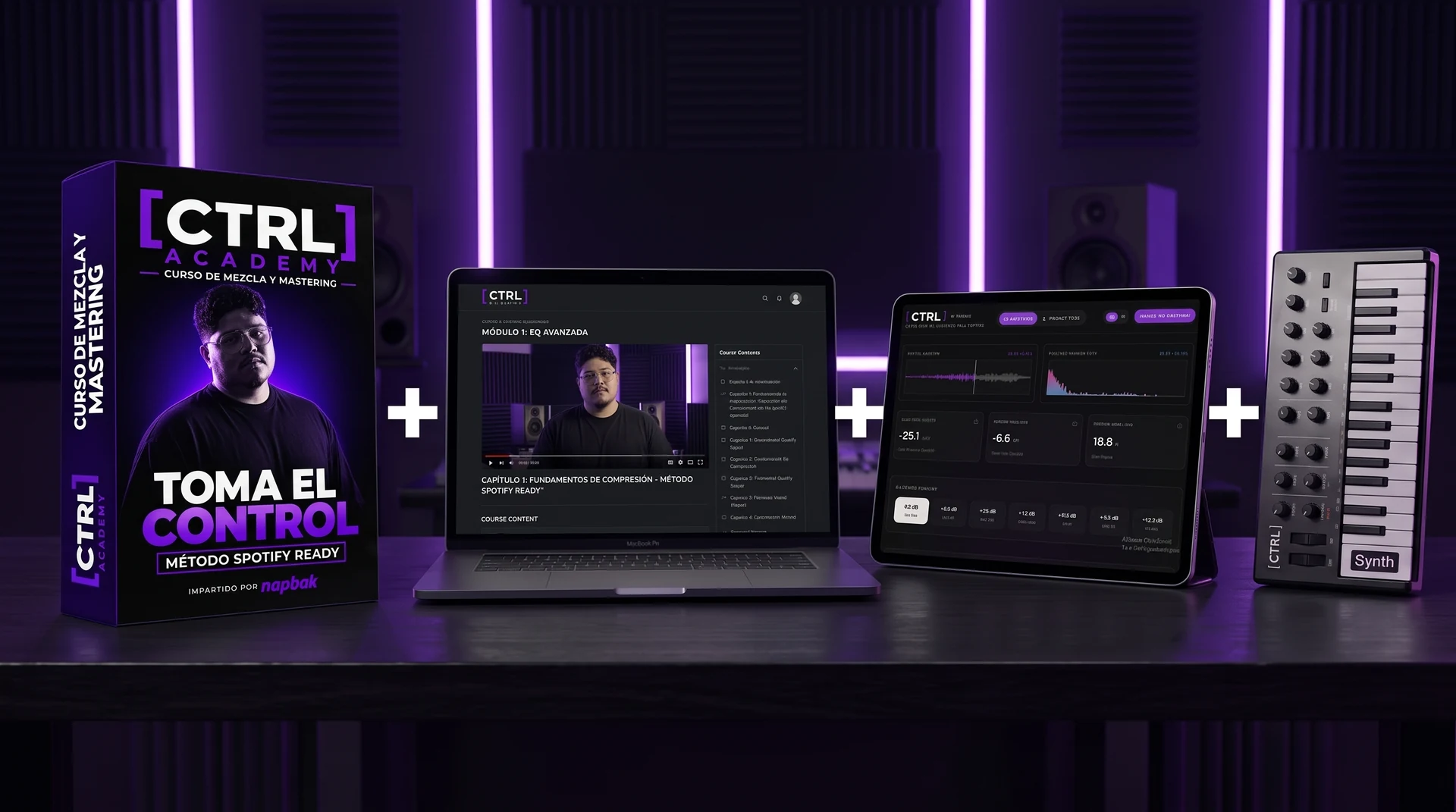
Workshop Live Intensivo (2.5 Horas)
Sesión en directo dentro de FL Studio con Q&A en tiempo real con Napoleon + grabación HD completa para siempre.
Licencia CTRL Pro de por Vida
Medición forense de True Peak a 4x y comparador A/B con crossfader de referencia sin límites.
Napbak Concert Grand VST3/AU
El instrumento acústico nativo de alta fidelidad para Windows y Mac incluido como regalo exclusivo.
Plantilla FL Studio (.FLP) & Presets
Sesión de master lista para FL Studio con buses calibrados, limitación por etapas y curvas de referencia.
Pruébalo durante 14 días. Si tus mezclas no suenan pro, no pagas nada.
Aplica el método a tus propias canciones. Si no notas un salto cuántico en pegada, claridad y volumen, te reembolsamos el 100% de tu dinero de inmediato.
Napbak Concert Grand Piano
Experience an acoustic Steinway in your browser with dynamic velocity, studio convolution reverb, and MIDI keyboard support. Included as a native VST3/AU download for FL Studio & Ableton with your CTRL Lifetime pass.
04. FAQ
Everything you need to know about loudness
Excellent! A master at -8 LUFS is powerful, dense, and competitive. You are in the ideal zone for modern commercial music. When you measure loudness, you'll see that while platforms normalize playback to around -14 LUFS, a master at -8 LUFS retains the energy, body, and punch needed for clubs, festivals, car audio, and download platforms.
Think of major hits from Skrillex (-8 LUFS), the synthwave grooves of The Midnight (-8 to -9 LUFS), or even my own masters as Napbak, where I regularly master at -7, -8, or -9 LUFS to protect transient weight. We prioritize dynamic impact over arbitrary streaming targets to ensure your track sounds massive on any sound system.
Absolutely not! -14 LUFS is simply an alignment target for streaming services, not a creative rule for audio production. Music is meant to be enjoyed across many formats—vinyl, CDs, DJ pools, club sound systems, and direct digital downloads—each requiring its own energy level.
Most modern commercial masters sit comfortably between -6 and -12 LUFS integrated. Artists master louder because the compression and saturation are essential to the sound's character. Focus on mix dynamics and overall translation rather than chasing a single loudness target.
Normalization is designed to provide a consistent listening experience across playlists, preventing listeners from constantly adjusting their volume. However, normalization is a simple gain reduction, not dynamic compression.
If your master is loud, it retains all its saturation, transient details, and punch even when turned down by the playback software. Furthermore, many listeners turn normalization off, and it does not apply to physical formats or download sites.
The loudness war was the industry-wide race to make tracks as loud as possible to stand out on the radio, peaking in the 2000s. Some albums reached a crushed -4 or -3 LUFS, sacrificing all dynamics. Today, we focus on a much better balance.
Modern mastering values both loudness and dynamics. With CTRL by Napbak, you can preview exactly how your mix translates. While a heavy Rammstein track might sit at a dense -6 or -7 LUFS (e.g. 'Du Hast' or 'Deutschland'), a melodic acoustic song might sound best at -12 LUFS. It is entirely genre and vibe dependent.
Usually much louder than the streaming targets! Modern electronic music regularly hits -6 to -8 LUFS, hip-hop averages -8 to -9 LUFS, and rock releases sit between -7 and -9 LUFS. Only highly acoustic, classical, or jazz genres sit closer to -16 or -20 LUFS.
The average commercial upload is around -10 LUFS. Artists choose loudness for artistic reasons, not platform guidelines. Use CTRL to analyze your favorite reference tracks and check their actual levels to match the energy that fits your vision.
To increase loudness while keeping your mix clear and transient-heavy:
1. Use saturation to add harmonics and increase perceived loudness without raising peak levels. 2. Apply compression in stages (small gain reduction across multiple plugins in your DAW). 3. Control the sub-bass frequencies and low-end build-up that eat up headroom. 4. Always leave a ceiling of -1.0 dBTP on your final limiter to prevent distortion when converting your WAV to lossy streaming formats (AAC/Ogg).